Finite Element Analysis - File Generation
The best way to create a F3D file is to use the FEA report file from a bridge analysis. Best to use a BDF file for a small bridge so the resulting FEA file is not to cumbersome to edit. Before doing a run, either LFR or LRFR, set the AnalysisControls switch “RptFEA” to “Y”
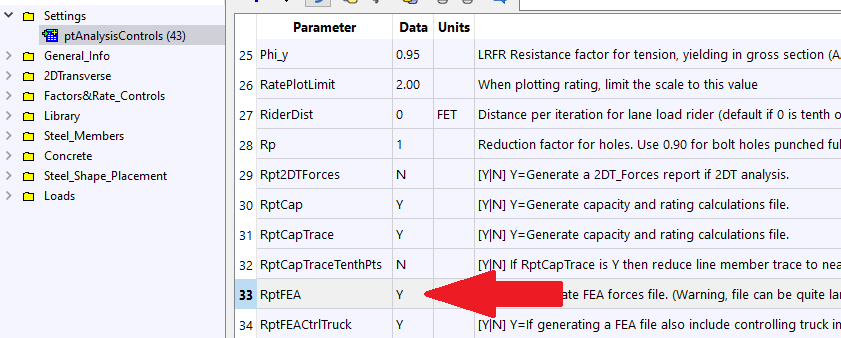
The analysis will generate a …._Fea.rpt file. Rename the file to any name you want with the extension of “.f3d”
Now go to the next step of editing this file Finite Element Analysis - The F3D file