Finite Element Analysis - Running the F3D file
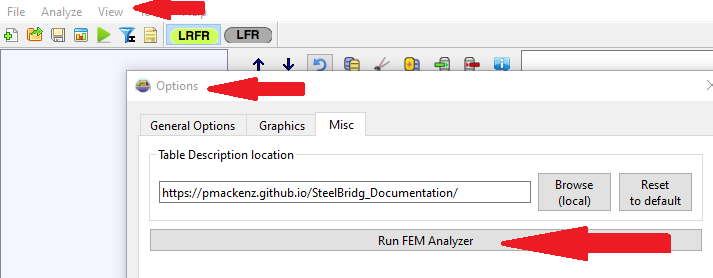
To run a F3D file, use BRIDG. Open the Steel BRIDG program and select the top “View” the “Options”
Select the “Misc” tab and then select “Run FEM Analyzer”
The resulting analysis will be a file xxxx.f3o
The F3O file has both the F3D input sections and the analysis result sections.
Example: fem_example_f3o.txt